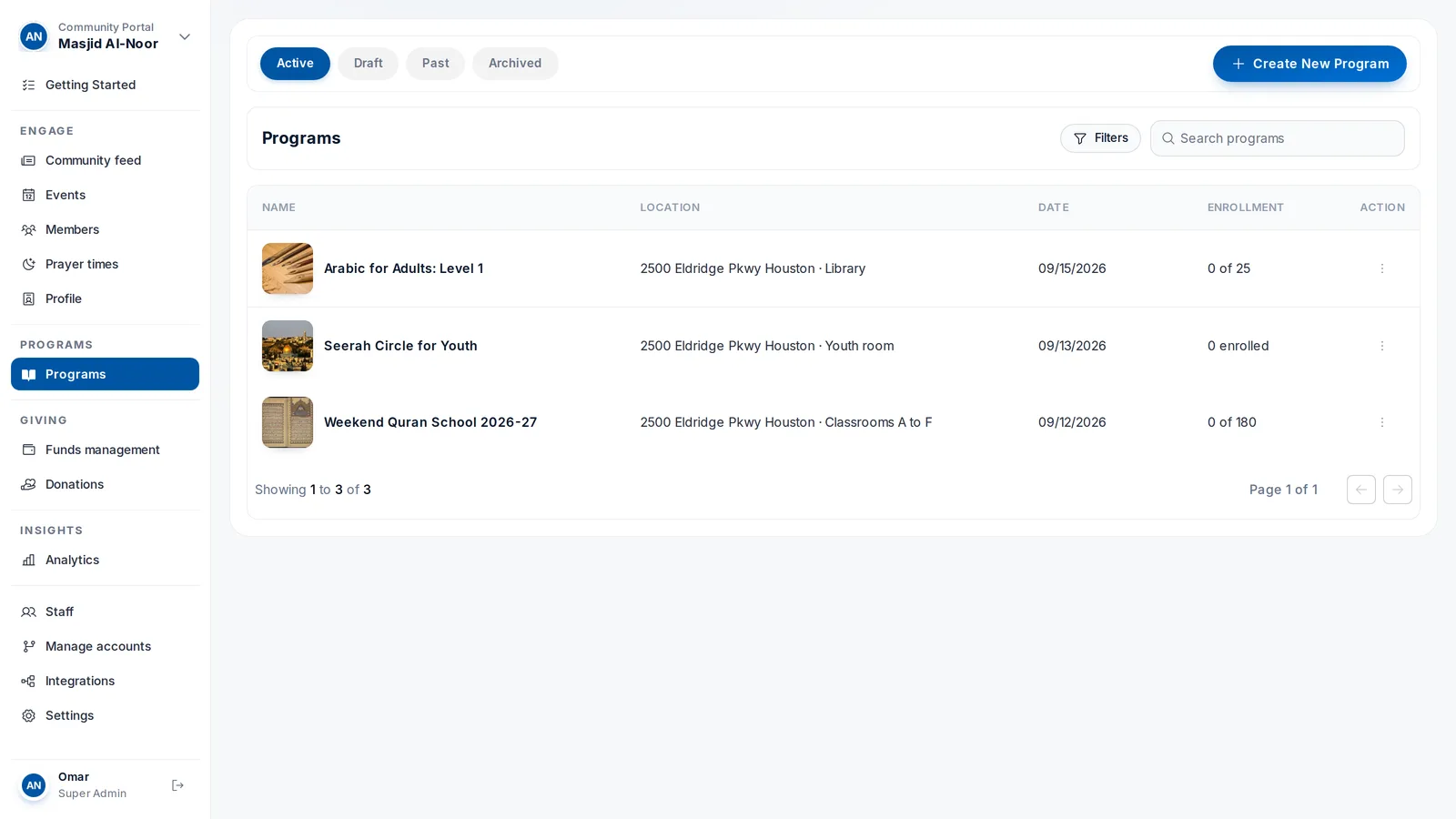
Weekend school, halaqas and classes. Run properly.
An event is one date. A class is a term, a roster, a family paying across three months, a sibling discount, an attendance record and a waitlist. Programs on Ummah handles all of it, in the same place as your events, members, donations and prayer times.
The spreadsheet, the Google Form and the payment app, retired.
Most weekend schools run on three things that do not talk to each other: a form that collects registrations, a spreadsheet that becomes the roster, and a payment app where the money lands. Somebody reconciles them by hand every Sunday. The sibling discount gets applied from memory. Attendance is a clipboard. And when a parent asks in March what they paid in September, the answer takes an afternoon.
Programs replaces all three with one record. A family registers once, pays on a plan if they need one, gets the discount automatically, lands on the roster, and is marked present or absent against each session. The teacher sees the class. The treasurer sees the money. The office sees the answers to its own questions on the registration form. Nobody rekeys anything.
A term, priced the way you actually price it.
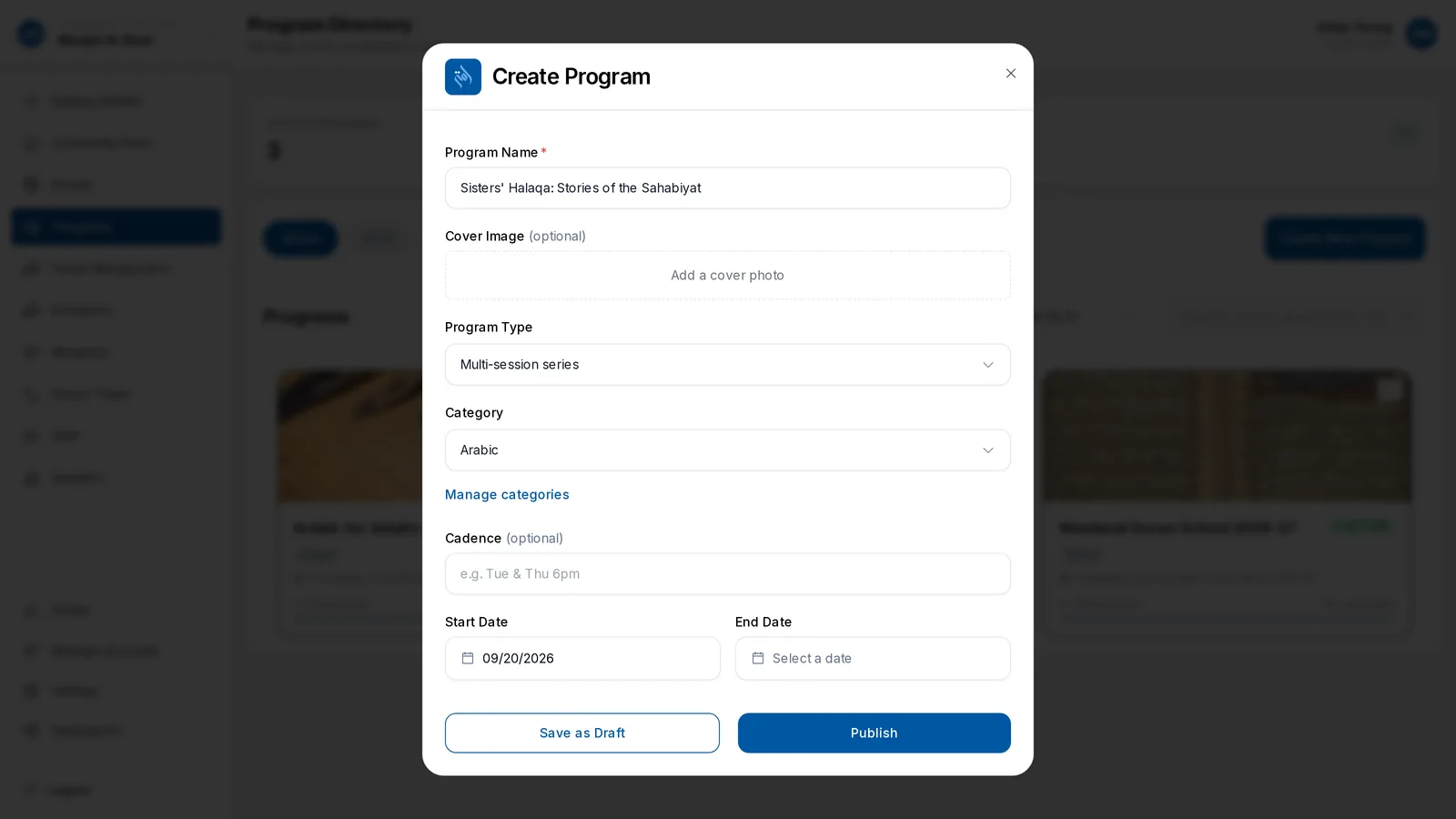
Build the session list, add the price options you need, and set the rules. Early bird until the end of August. Standard after that. Second child half price. Deposit plus three installments. You set it up in one form and it runs itself for the rest of the term.
- One session per class day, with its own date and time
- As many price options as you need, each with its own availability window
- Deposit plus up to 36 installments on your schedule
- Sibling and family discounts that apply from the child you choose
- A refund policy per program: full, none, or a window
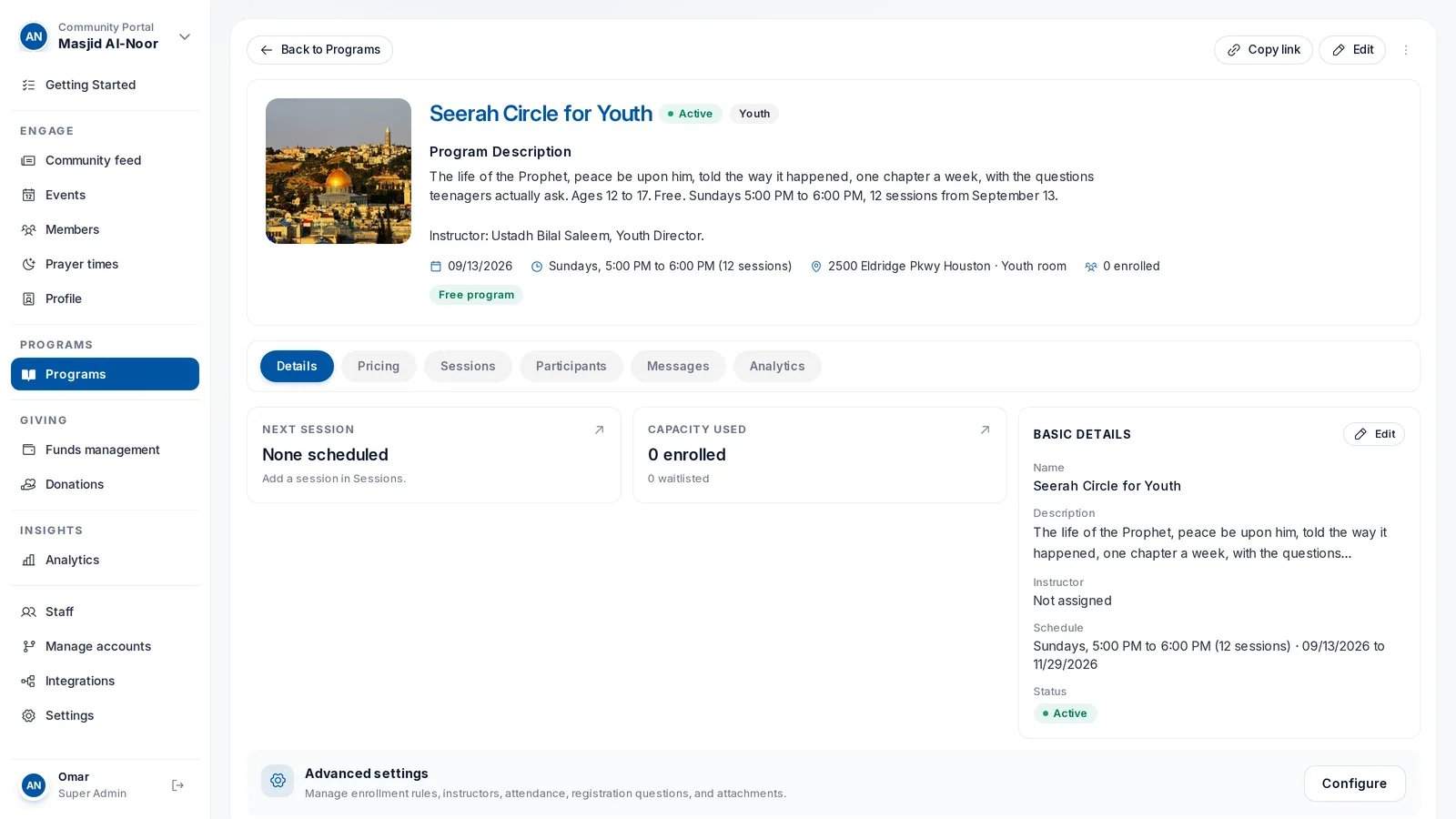
Roster, attendance and the answers to your own questions.
Every enrollment carries the registration form the family filled in, so the allergy, the Qur’an level and the pickup authorisation are on the record rather than in someone's inbox. Mark attendance per session, promote a family off the waitlist when a seat frees, and refund against the policy you published.
- Custom registration forms with parent and child fields
- A waitlist you can reorder and promote from
- Attendance per session, or check-in at the door
- Messaging to everyone enrolled in one program
- Enrollment, revenue and attendance analytics per program
Everything in Programs
All of it live today and included on every plan, Free included.
Sessions, not just a start date
A program is a series. Build the whole term at once, one session per class, with its own date and time. Families see the schedule before they pay, and you get a roster per session rather than one list for the year.
Pricing that changes with the calendar
Add as many price options as the program needs, each with its own label, amount and availability window. An early-bird rate opens and closes on a date by itself. No coupon to remember, no price to swap over manually at midnight.
Payment plans with a deposit
A $600 year is a hard ask in September. Take a deposit and up to 36 installments on a schedule you set, so a family can say yes in one sitting and pay it down across the term.
Sibling and family discounts that apply themselves
Set the second child at 50% off, or a flat family rate from the third, as a percentage or a fixed amount, with a cap on how many it applies to. The parent does not type a code and you do not issue refunds later to make it right.
Registration forms that ask about the child
Build the form the program actually needs: the parent’s details and each child’s, with your own questions. Allergies, prior Qur’an level, the emergency contact, the pickup authorisation. Answers sit on the enrollment where the teacher can read them.
A waitlist you can work
When a class fills, the next family joins the waitlist instead of walking away. Reorder it, and promote someone into a freed seat when a place opens, without asking them to register again.
Attendance and check-in
Mark attendance per session, or check students in at the door. You can answer "how many Saturdays did she actually attend" at the end of term instead of guessing from a paper sheet.
Refunds against a policy you set
Choose full refunds, none, or a window, per program. The policy is shown before payment and enforced after it, so the answer to "can I get my money back" is the same whoever in your team is asked.
Your programs on your own website
Copy one snippet from the portal and your programs appear on your own site, on your own domain. Families browse and register inside the widget, without being sent anywhere else.
Analytics per program
Enrollment, revenue and attendance for each program, so next term’s decisions come off the numbers: which class filled in a week, which one never did, which price option everyone chose.
The family that enrolls is the family you can reach in Ramadan.
A standalone class tool gives you a roster and stops. On Ummah the people who enroll become members of your community: in the directory, reachable by email, push, in-app and text, counted in your analytics, and already there when you launch the iftar or the fundraiser.
- Everyone who enrolls lands in your member directory, tagged and exportable
- Announce to one program, one tag, or everybody
- Events, donations, membership dues and prayer times in the same portal
- Embed programs, events, prayer times and donations on your own website