
Free vendor map maker for bazaars, festivals and expos
Pick a room, place the booths, name every vendor and sponsor, print the map. No account, nothing to install, and your map stays in this browser.
Plan your vendor booth layout
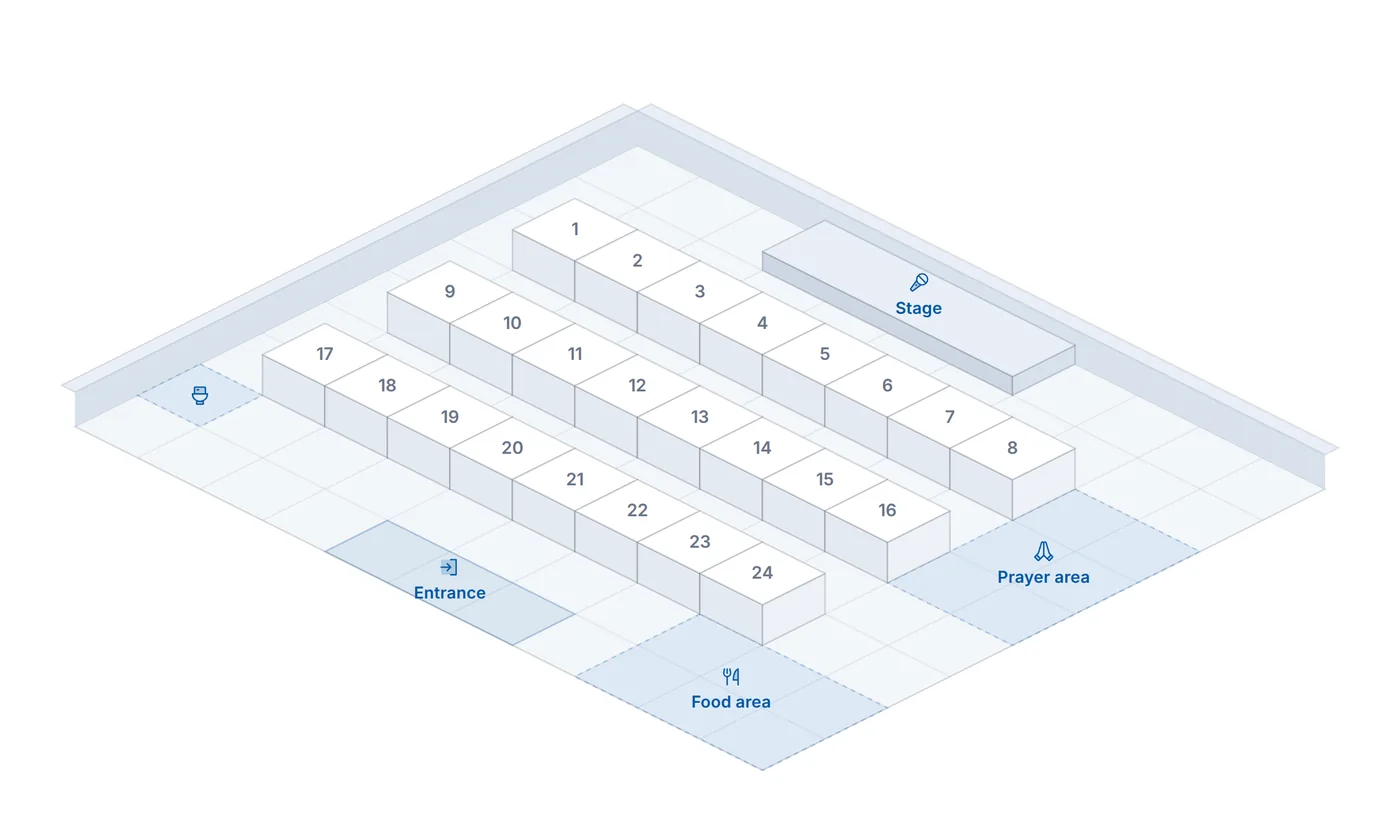
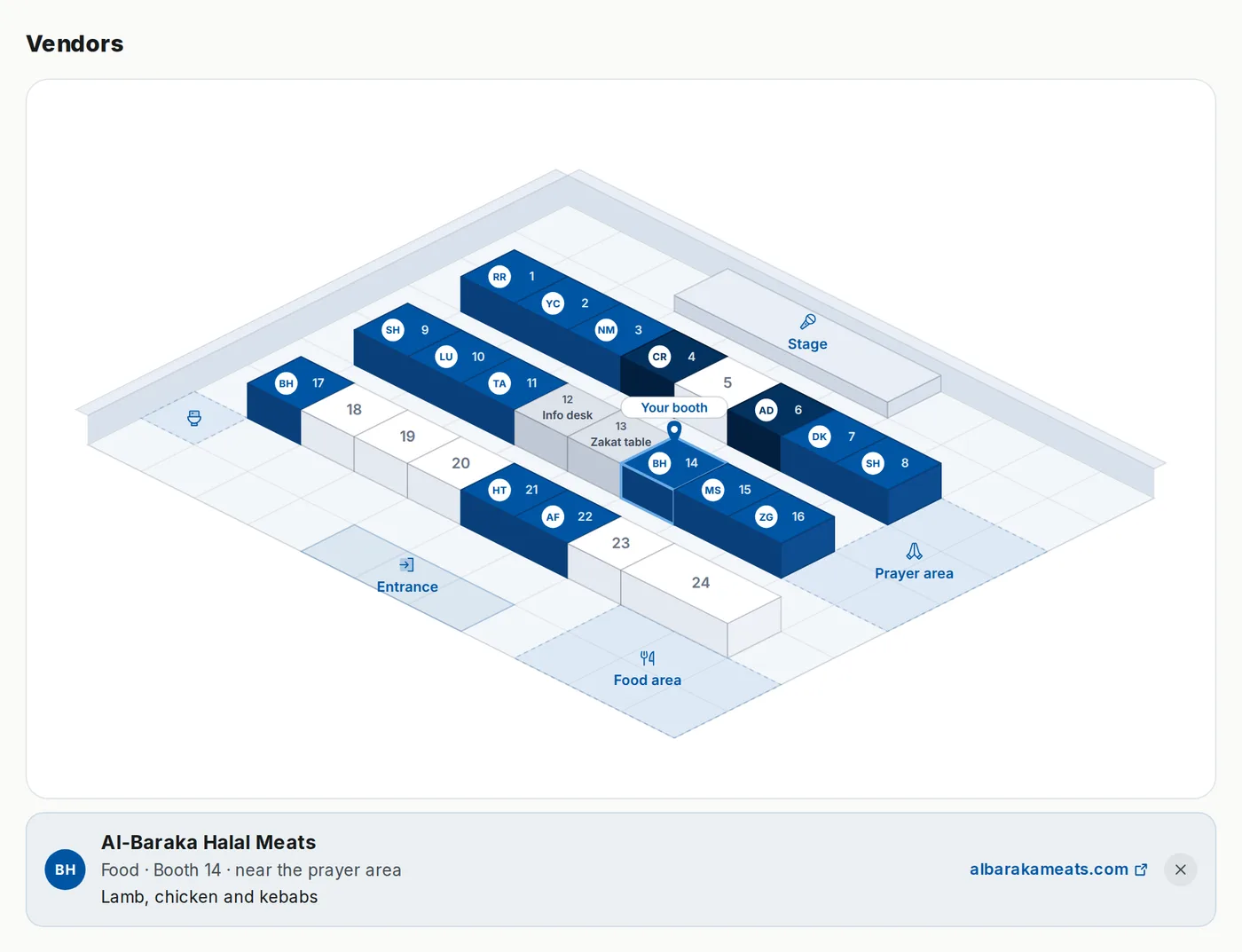
Start with the community hall and its 24 booths, or pick another room. Click a booth to name who is in it. Drag anything where it belongs.
Your vendors and sponsors, placed from the roster
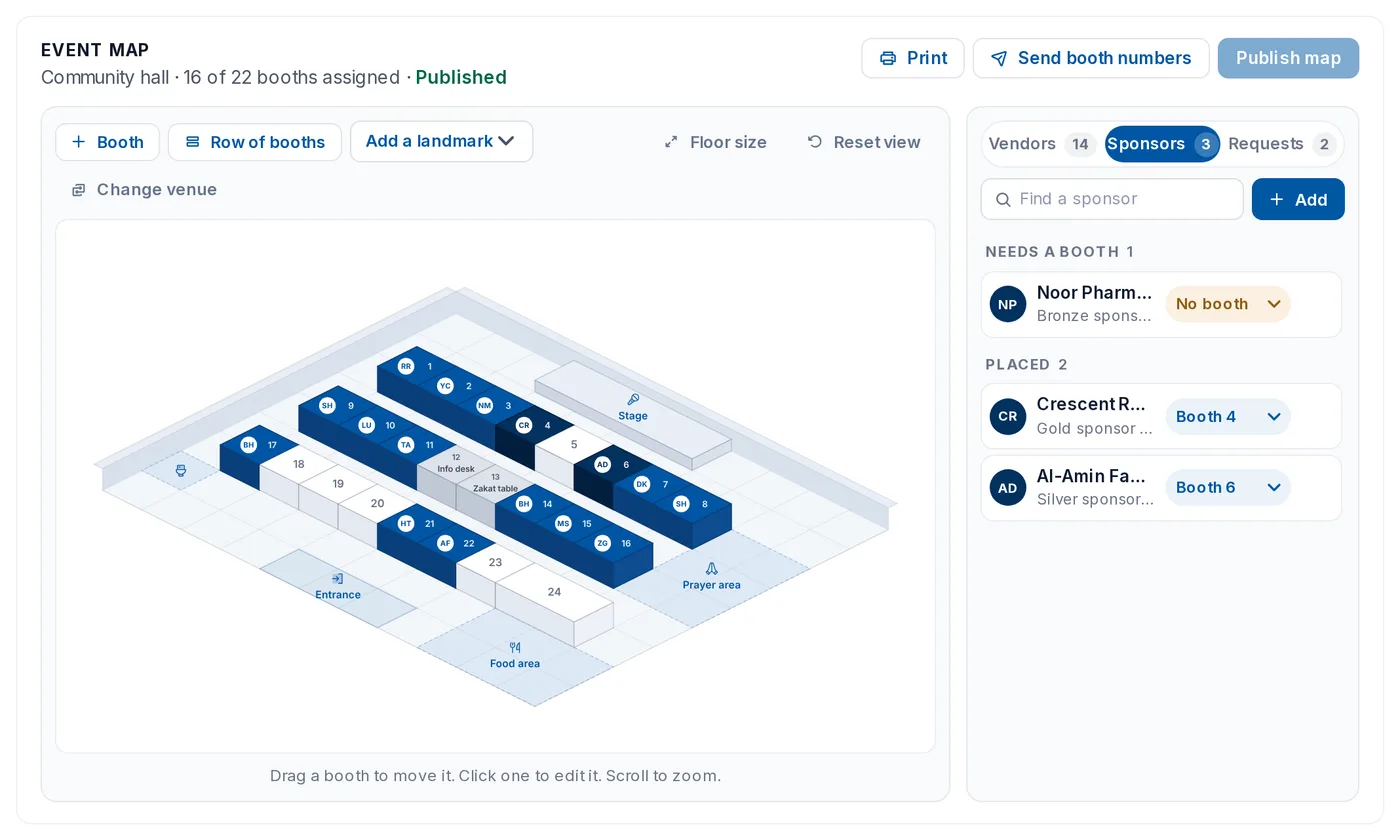
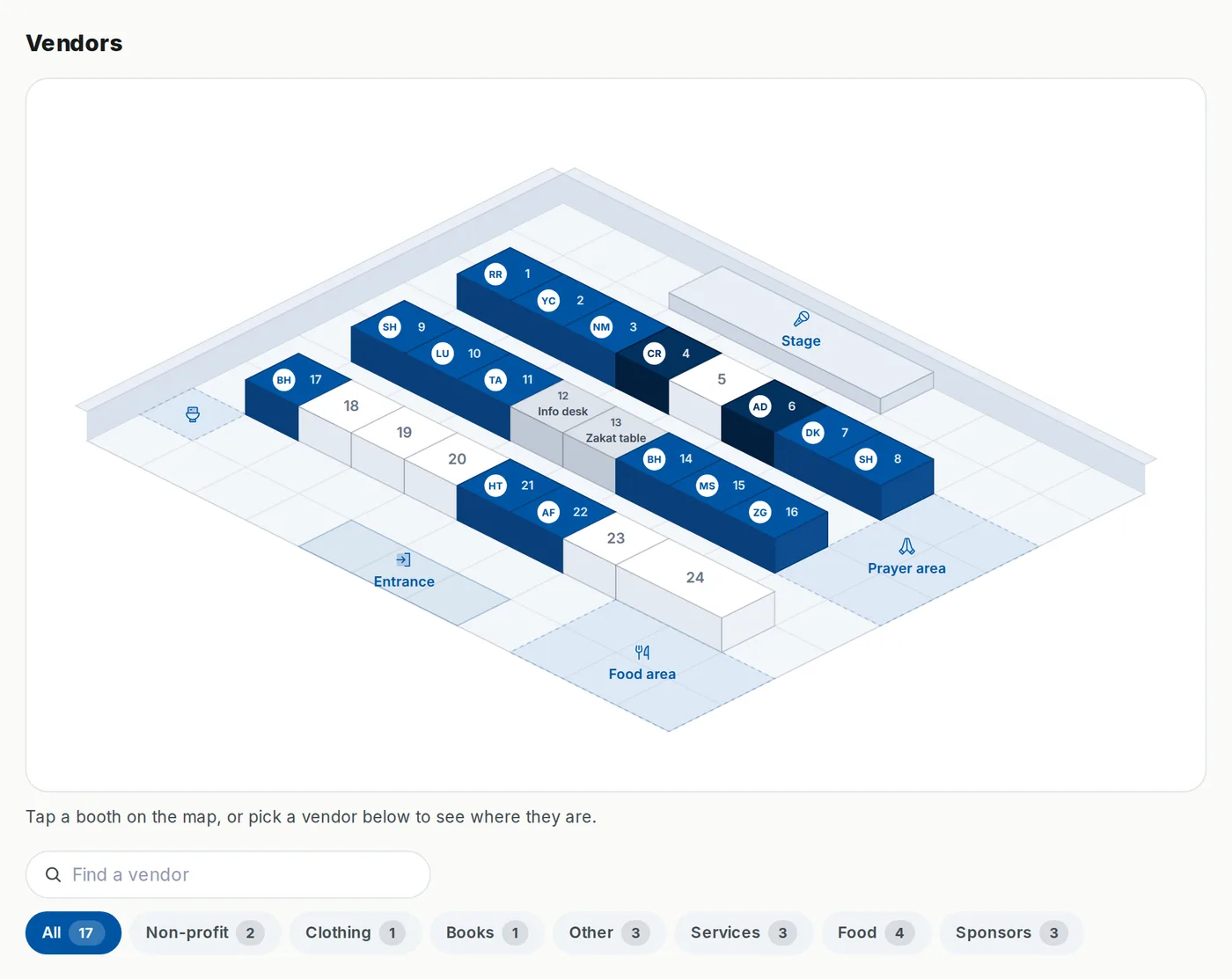
In the Event map tab of your event, the vendors and sponsors you approved sit in a list beside the map. Give each one a booth, publish, and the map goes to the event page and the app. Attendees search a name, filter by category or sponsors, and tap a booth for the card.
- Vendors and sponsors placed from the event roster, not retyped
- Draft until you publish; attendees see only the published floor
- Booth numbers emailed to every vendor with a link to their booth
- A print view with the list by booth number
Build on a Google Maps view of your parking lot or grounds
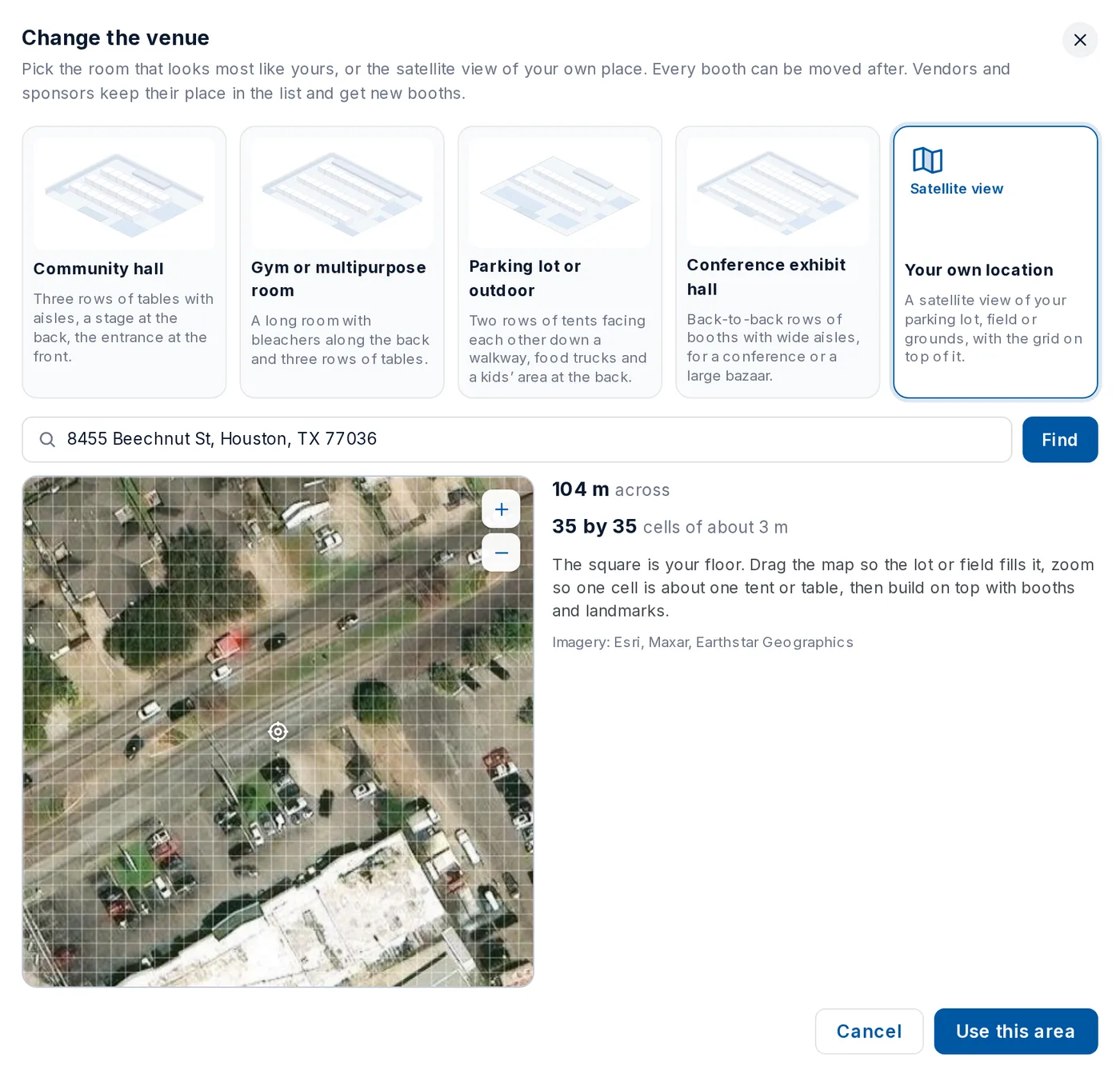
Type the address, drag the satellite view until the lot fills the frame, zoom so one cell is about one tent, and the square becomes your floor with the grid on top. Booths and landmarks stand on the real place, so the printout matches what people see when they arrive.
- Address lookup and satellite imagery through Google Maps
- Cells of about 3 meters, the size of a table or a tent
- Grow the floor up to 48 by 48 cells for a large field
- The same drag, booths and landmarks as a room
The map lives inside event management
The same event carries tickets, the waitlist, QR check-in at the door, volunteer shifts, announcements and the questions you ask at registration. Vendor, sponsor, volunteer and attendee are one roster, so the floor plan is never a separate spreadsheet that drifts from the event.
- Paid and free tickets, 0% platform fee on Advanced
- QR check-in at the door; the attendee list updates live
- Volunteer shifts and announcements from the same event
- Prayer times on the event page
Vendors and sponsors pay for their own booth
Set a booth fee, by booth or by single and double, and each vendor's link opens on their booth with the amount and a Pay button. Payment runs like a ticket, through the event's own payment set-up, and the booth reads Paid in your list. Sponsors can be marked fee waived.
- A fee by booth, or one price for singles and one for doubles
- The vendor’s link opens on their booth with the amount
- Paid shows in your list and on the map
- The same payout and fees as your tickets
Who uses a vendor map
Thirty tables in the community hall, the info desk by the door, the zakat table beside it, food along the back wall.
Eid celebrations near youTwo rows of tents down a walkway in the parking lot, food trucks at the back, a kids’ area where parents can see it.
Host a halal food festivalBack-to-back rows of booths with wide aisles, sponsors at the entrance, the prayer area off the floor.
Islamic conferences in 2026Questions about the vendor map maker
Guides for the events that need a map
Bazaars, festivals and conferences.