

A masjid CRM that knows who actually shows up.
One directory for every member, built from what people actually do: the events they attend, the classes they join, the gifts they give. Free to start, and every announcement goes to the people it is for instead of to everyone.
The member list is a spreadsheet. The announcements are a WhatsApp group.
Every masjid has one. It was accurate the week it was made, then families moved, numbers changed, and the person who kept it stepped down. Nobody knows which rows are still true, so nobody uses it for anything that matters.
Announcements go to a group half the community muted in Ramadan. A message about the Sunday school reaches the same 300 people as a message about the parking lot, and the parents you needed never see it.
A masjid CRM fixes both at once. The directory grows on its own from attendance, registrations and giving, and every message goes to a tag, not to everyone. The directory is on the Free plan, so you can start today.
A member database with tags, not just names.
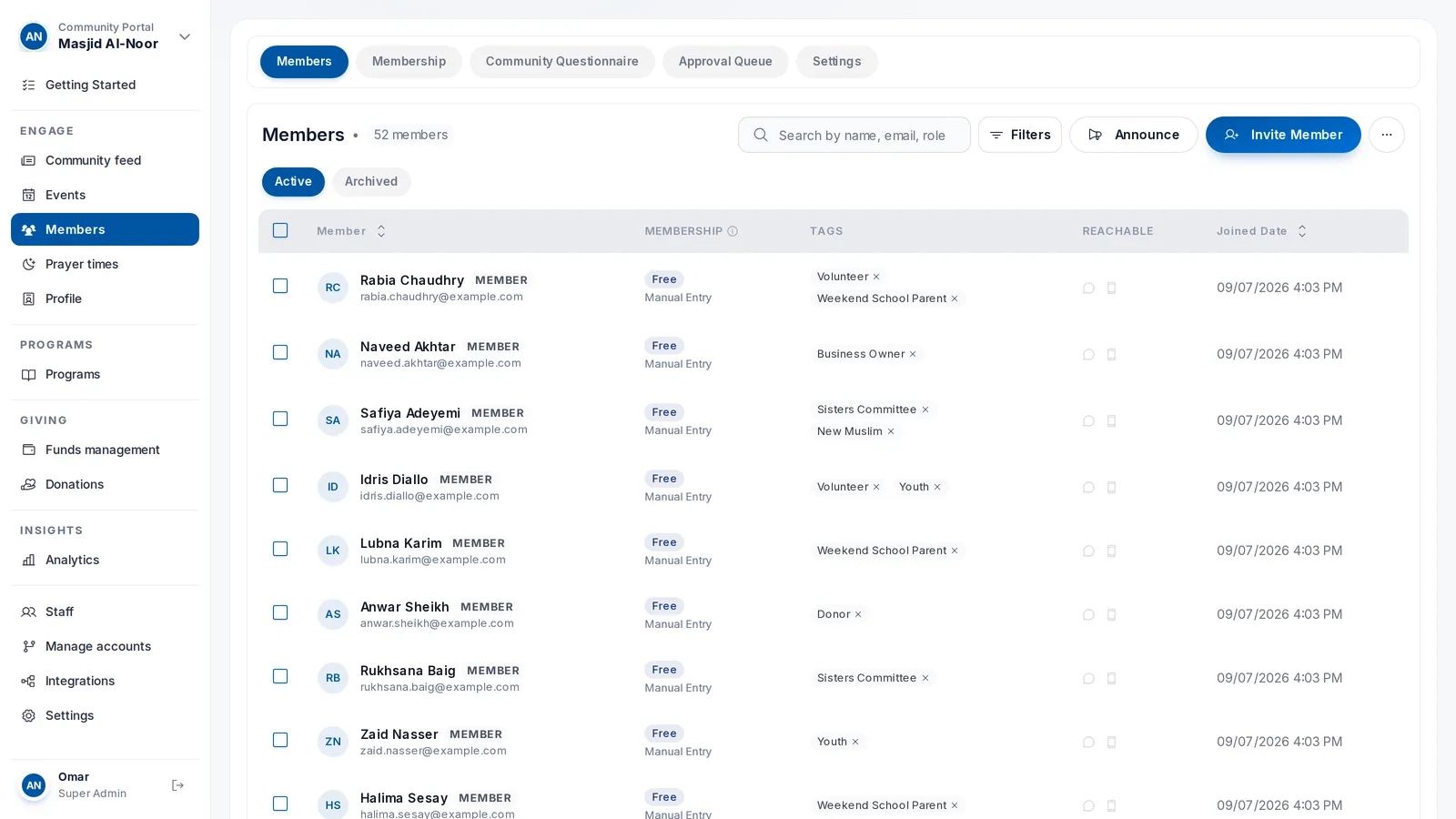
Search by name, email or role. Filter by a tag to get the fourteen volunteers or the weekend school parents, then email or announce to exactly that list.
- Every member with email, role, source, tier, tags and join date in one table
- Tags you define: Volunteer, Youth, Sisters Committee, New Muslim, whatever your masjid uses
- Filter by a tag and the list narrows to those people, ready to email
- Counts at the top for total members, email reachable, text opt-in and app installed
Ask your questions before you approve.
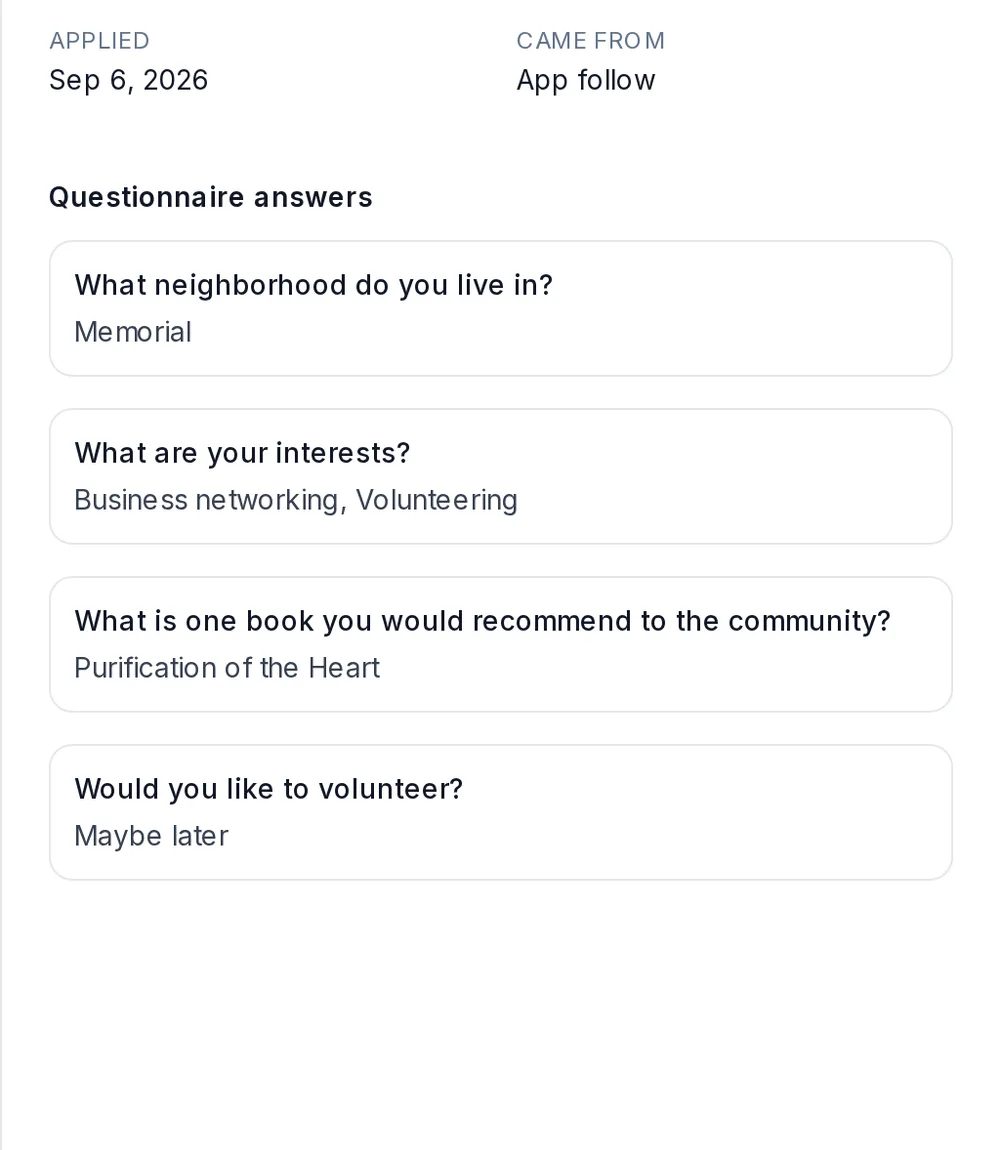
Set up the join questions your board actually cares about. New members answer them when they apply, and the answers sit in the approval queue next to the Approve and Reject buttons.
- A join questionnaire with your own questions, each one required or optional
- An approval queue showing who applied, when, and whether they came from the app or the web
- Read the answers before you approve, from the same screen
- Turn approval off for an open community and members join instantly
Announce to a tag, not to everyone.
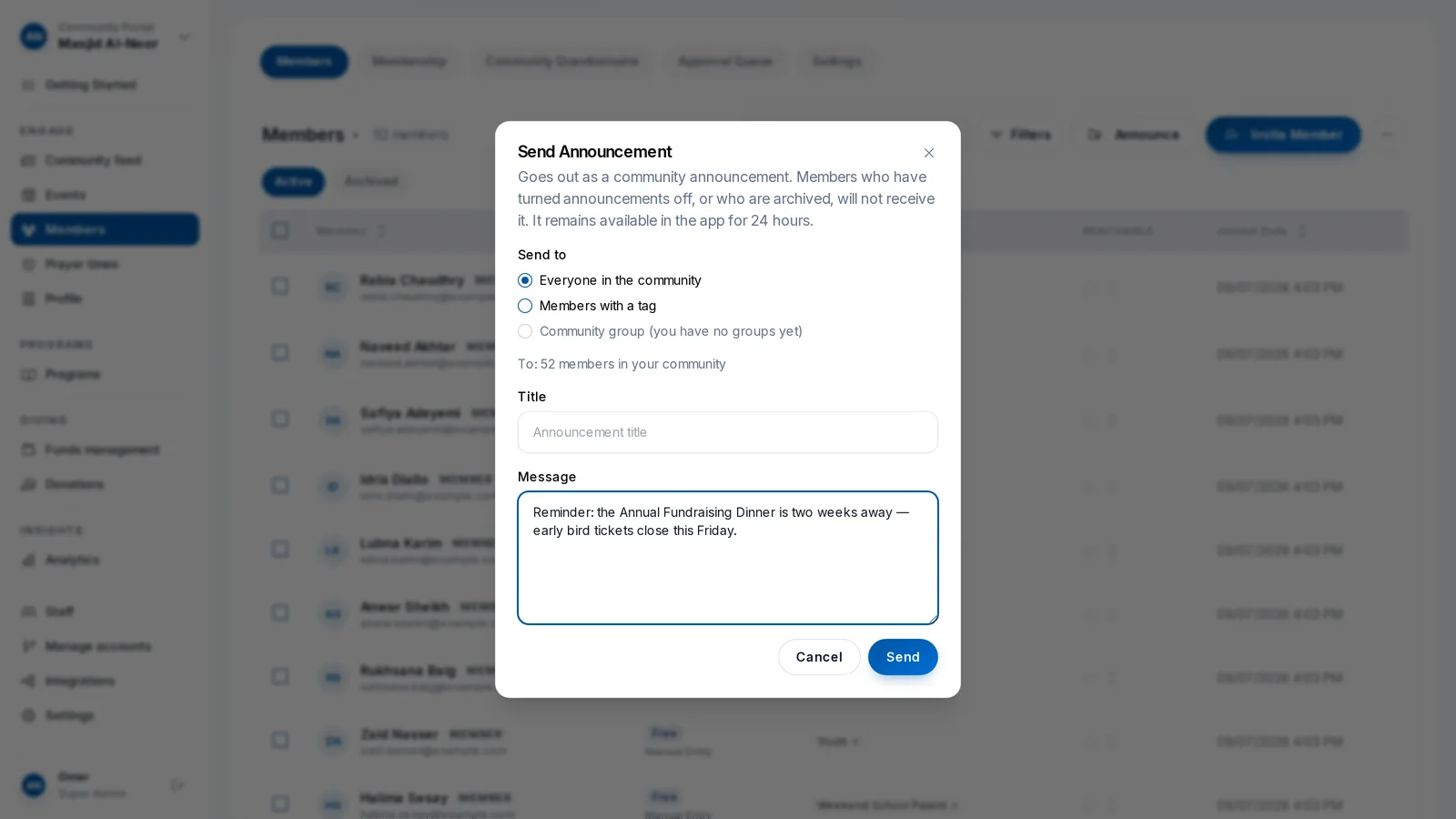
Pick the members with a tag, write the message once, and it goes to those people. The parents get the school notice. The volunteers get the setup call. Nobody else gets either.
- Send to every member, or only to the members with a tag
- The recipient count shows before you send: "To: 14 members tagged Volunteer"
- One title and one message, written once
- Email and Text buttons on each member record for the one-to-one follow-up
Everything about one person, on one card.
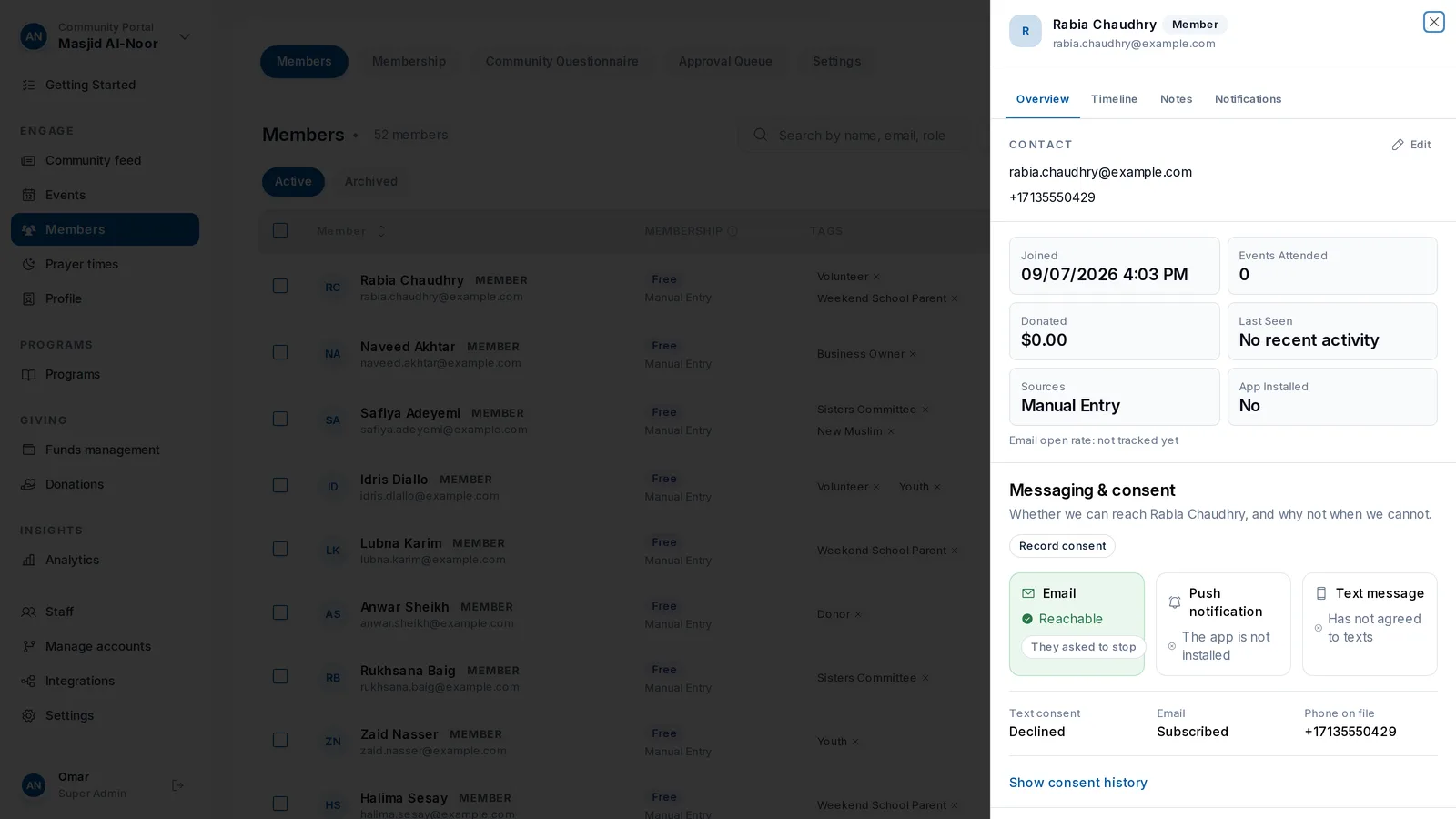
Open a member and you see the whole relationship: when they joined, how they came in, the events they attended, what they have given, whether you can reach them by email or text, and the tags they carry.
- Joined date, source, events attended and total donated on the profile
- Email reachable, text reachable and app installed, so you know how to reach them
- Tags added and removed on the card
- A timeline and a notes tab for the things a spreadsheet cannot hold
The list keeps itself.
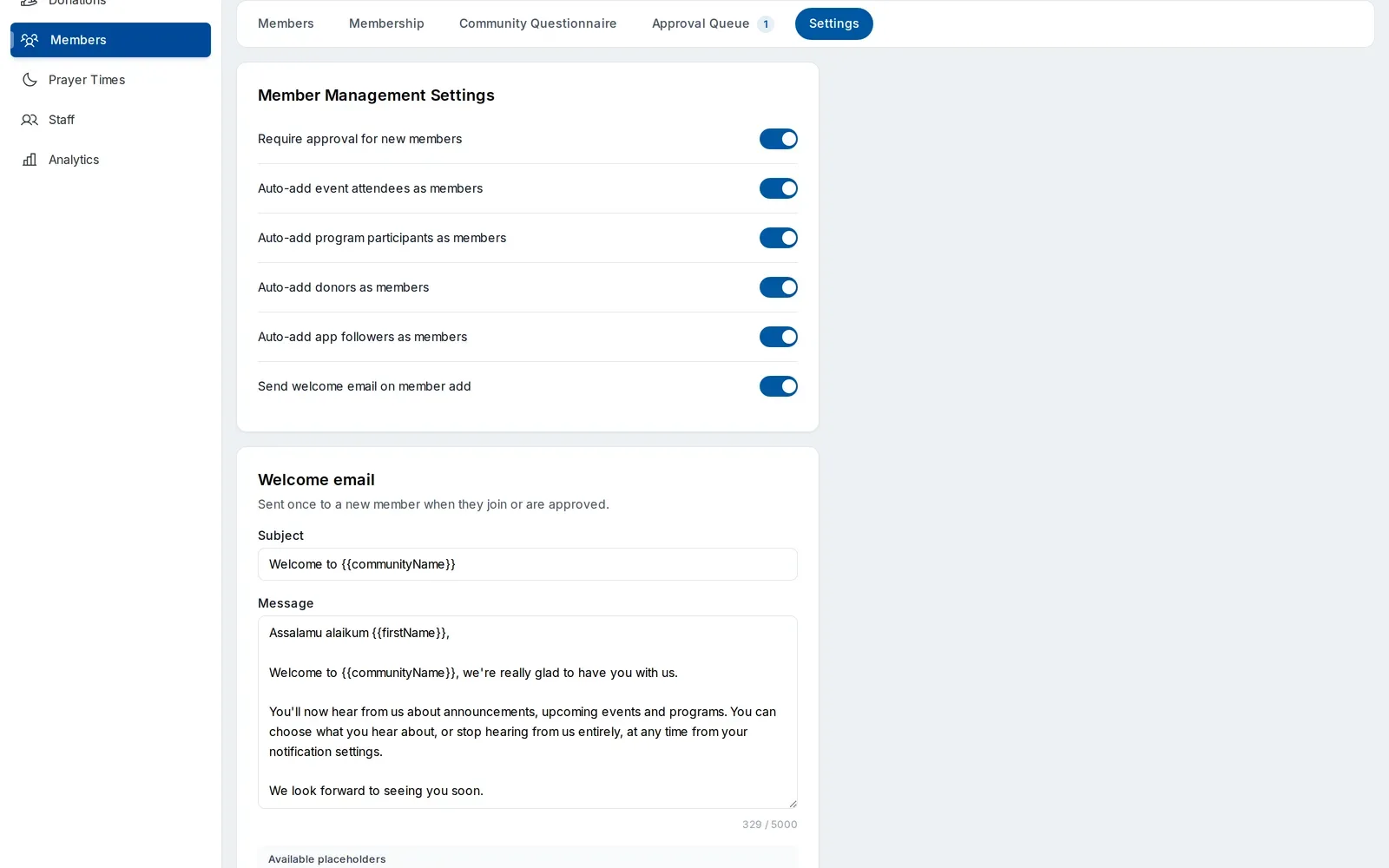
Switch on auto-add and everyone who attends an event, enrolls in a program, gives a donation or follows you in the app becomes a member, with the source recorded. No re-typing, and no import every quarter.
- Event attendees added as members automatically
- Program participants and donors added the same way
- App followers become members, so the app grows your directory
- A welcome email goes out once, when someone joins or is approved
What you need to know about a member, and where it lives
The questions a board asks about its members, and where the answer is today.
| What you need | On Ummah | Spreadsheet and WhatsApp |
|---|---|---|
| Who is a member today | The directory, updated automatically from events, programs, giving and app follows | Whoever was on the sheet the day it was last edited |
| Contact details that work | Email reachable and text opt-in shown per member | Bounced emails and dead numbers, found when the message fails |
| Which events they attended | Events attended, counted on the profile | Not recorded, or on a separate sign-in sheet |
| What they have given | Total donated on the profile, each gift on the donor record | In the payment processor, under a different name |
| Who joined and why | Join questions answered in the approval queue | A WhatsApp intro, if there was one |
| Reaching a group | Announce to a tag: volunteers, parents, youth | A group chat everyone gets, and many muted |
| Who can see the data | Staff accounts with roles | Anyone with the link |
Based on the Ummah Community Portal.